

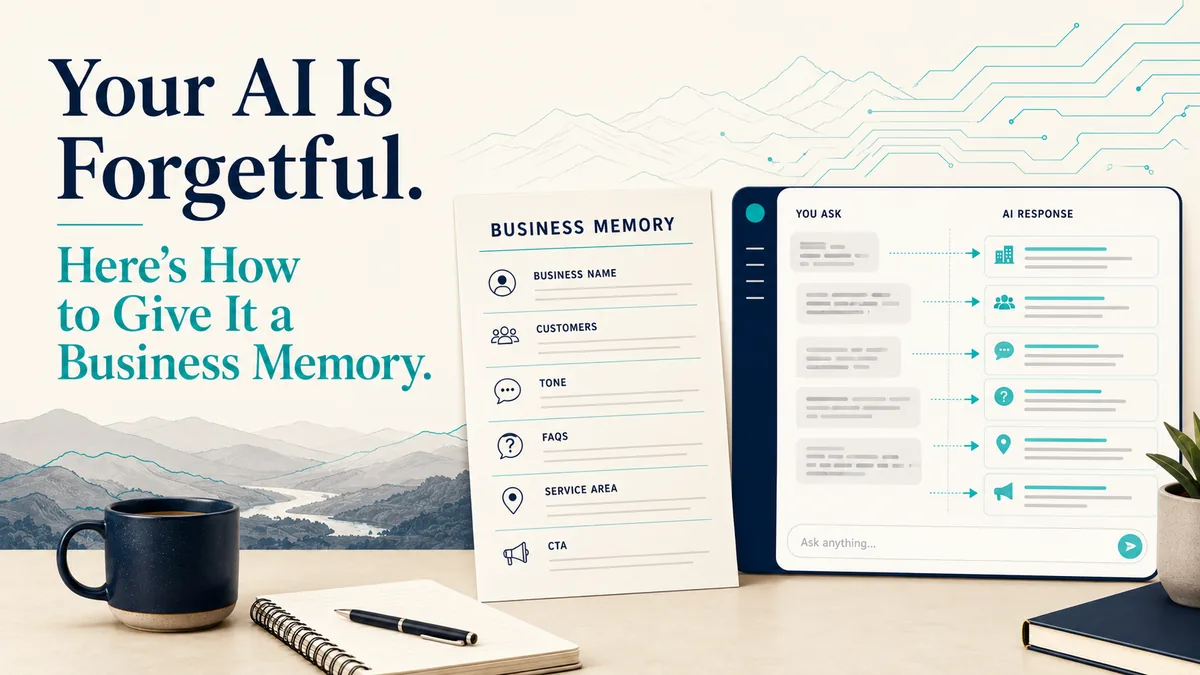
Most AI tools do better when they understand your business. A one-page profile gives them the context they need before they start writing.
Why AI output sounds generic
Open a fresh chat with most AI tools and they do not reliably know your business. Not your name, not who you serve, not the things you would never say to a customer. So you explain it. Then you explain it again tomorrow, because the tool does not carry a clean picture of your business from one task to the next.
That re-explaining is where a lot of the wasted time goes. It is also why so much AI output sounds generic. When the tool has no clear idea who you are, it writes for everyone, which means it writes for no one.
There is a simple fix, and it is not another list of clever prompts. It is one clean source of truth about your business that the AI can read before it writes a single word.
What a Business Memory is
A Business Memory is a one-page profile of your business that you give the AI once, then reuse. Write it a single time, keep it in a note or a doc, and pull it up whenever you ask AI for marketing, customer replies, or internal documents.
You are not teaching the tool tricks. You are handing it the context a new employee would need on their first day.
What to include
Business name and what you do. One or two lines. "Mountain Air Heating and Cooling. We install and repair HVAC systems for homeowners."
Who you serve. Your actual customers. Homeowners in Johnson City, not "consumers." The more specific you are, the less generic the output.
Your service area. The towns and counties you cover. Keeps the AI from inventing locations or writing for a market you do not serve.
Your tone. How you sound. Friendly and plain? Formal? A few words here change everything. Tell it "warm, no jargon, talks like a neighbor" and the writing shifts.
Things you never say. Your guardrails. Maybe you never promise same-day service. Maybe you never run down a competitor. Write it down so the tool does not put words in your mouth.
Your FAQs. The five questions you answer every week. Hours, service area, pricing approach, warranty, how to book. This one section alone saves hours of customer replies.
Common objections. The reasons people hesitate to buy. Price, timing, "I'll just patch it myself." When the AI knows these, it can answer them instead of ignoring them.
Important details. The operational facts that shape an answer. Hours, how to book, warranty terms, whether you offer emergency service, financing notes. When the AI has these, it stops guessing.
Your preferred call to action. What you want people to do next. "Call the number on our site." "Book online." The AI will end on the action you actually want.
Save all of that on one page. Plain text is fine.
Copy and paste template
Here is a simple version you can copy and fill in.
Business name: [Your business name]
What we do: [One or two plain-English sentences about your main services.]
Who we serve: [Your ideal customers. Be specific.]
Where we work: [City, county, region, or service area.]
How we sound: [Examples: friendly and plainspoken, professional but warm, direct and helpful, calm and reassuring.]
What we do not say: [Promises you avoid, claims you do not make, words you do not use, competitors you do not mention.]
Common customer questions:
- [Question one]
- [Question two]
- [Question three]
- [Question four]
- [Question five]
Common customer objections: [Price, timing, trust, confusion, comparison shopping, fear of being pressured, etc.]
Important details AI should know: [Hours, booking process, warranty language, emergency service rules, financing notes, team details, certifications, or anything else that matters.]
Preferred call to action: [Call, book online, request an estimate, schedule a consultation, visit the office, etc.]
Prefer to fill it in online? Use the builder below. It turns your answers into clean plain text you can copy or download, and it asks for nothing about you. Nothing you type is saved or sent.
Example for a local business
A contractor in the Tri-Cities might write:
"We are a small HVAC company serving homeowners in Kingsport, Johnson City, Bristol, and the surrounding Tri-Cities. We install and repair heating and cooling systems. Our tone is friendly, plainspoken, and practical. We do not use scare tactics, we do not promise same-day service unless the schedule allows it, and we do not talk badly about competitors. Customers usually ask about pricing, response time, whether repair or replacement makes more sense, and how long the work will take. Our preferred call to action is to call the office or request an estimate through the website."
That one paragraph gives the AI more useful context than most people provide in ten separate chats.
How to use it
Before you ask AI to write a social post, draft a customer reply, or put together an internal doc, paste the whole page in first, then make your request underneath. Something like: "Here is my business. [paste the page]. Now write a Facebook post about our spring tune-up special." The output comes back sounding like you instead of like a stranger.
If you run one business through one AI tool, you can save a step. Most tools have a settings area, often called custom instructions or personalization, where you paste your Business Memory once and it applies to every chat. If your tool supports projects or workspaces, drop the page into the project instructions so it loads automatically every time you work there. Paste it in fresh, save it in settings, or load it into a project. Any of the three works, and the page is the same either way.
A clean page you control still beats relying on a tool's automatic memory feature, because you decide exactly what it knows, and you can hand the same page to a new employee or a new tool on day one. And whatever comes back, read it before it goes out. The page makes the draft better. It does not make it final.
What not to include
One more rule: do not put private customer information on this page. Your Business Memory should describe the business, not expose customer names, account numbers, medical details, legal details, employee issues, or anything sensitive. The point is to give AI useful context, not hand it information it does not need.
The takeaway
Most AI tools will not know your business until you tell them, clearly, in one place. Spend fifteen minutes writing down who you are, and you stop starting from scratch for good.
Want help setting that memory up right? See Custom AI Tools & Apps, or tell us what is slowing you down.